![smartbarrel-logo-1.png]](https://ask.smartbarrel.io/hs-fs/hubfs/smartbarrel-logo-1.png?height=39&name=smartbarrel-logo-1.png)
Worker Sync
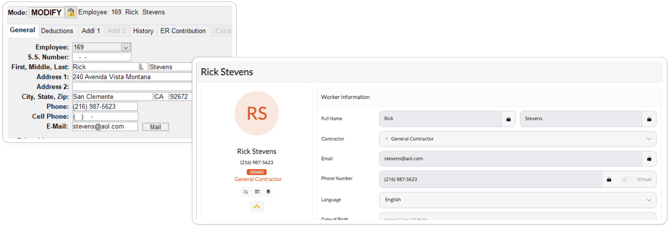
The Foundation integration allows you to import your workers from Foundation directly into SmartBarrel. Foundation is the source of truth for your worker directory when using this integration — worker data flows one way, from Foundation into SmartBarrel.
When syncing a worker, SmartBarrel will pull the following fields from Foundation:
| Foundation Field | SmartBarrel Field | Required? |
|---|---|---|
| First Name | First Name | Yes |
| Last Name | Last Name | Yes |
| No | ||
| Phone | Phone Number | Yes |
| Employee Number | Payroll ID | Yes |
Triggering a Worker Sync
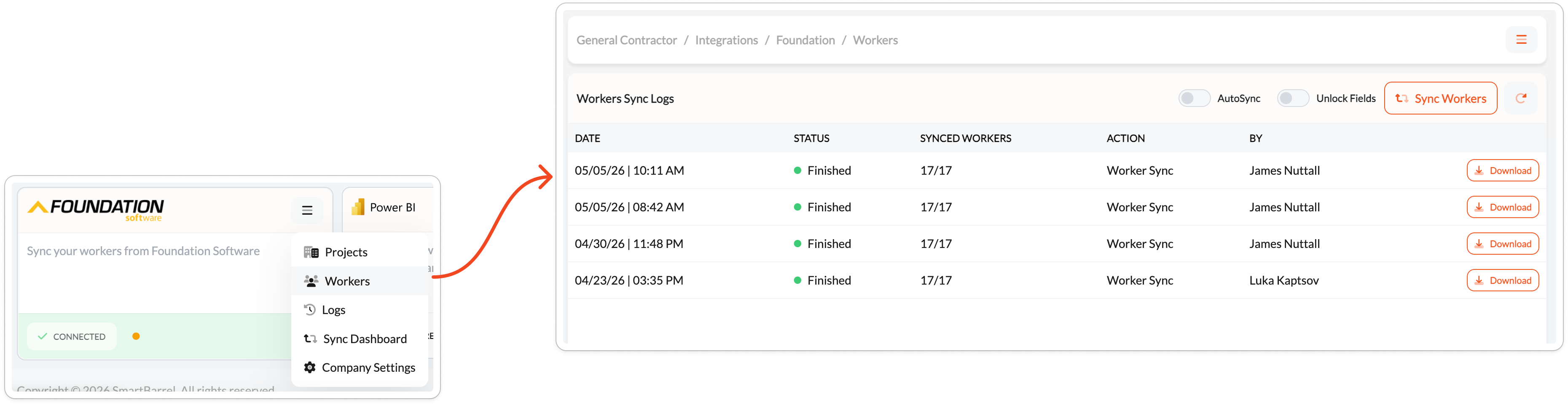
Navigate to Integrations > Foundation and click the menu icon (≡) in the upper right corner. Select Workers from the menu. Click Sync Workers to trigger a manual sync.
You can also enable AutoSync in Company Settings to have workers sync automatically on a recurring schedule.
Why Did Some Workers Not Sync?
The most common reasons a worker is skipped during sync are:
- Missing phone number — the worker does not have a phone number recorded in Foundation.
- Phone number already in use — the phone number exists on another worker profile in SmartBarrel.
- Terminated — the worker has a termination date in the past and is excluded from the active employee query.
Workers skipped for these reasons will appear as warnings in the sync log.
Reading the Sync Log
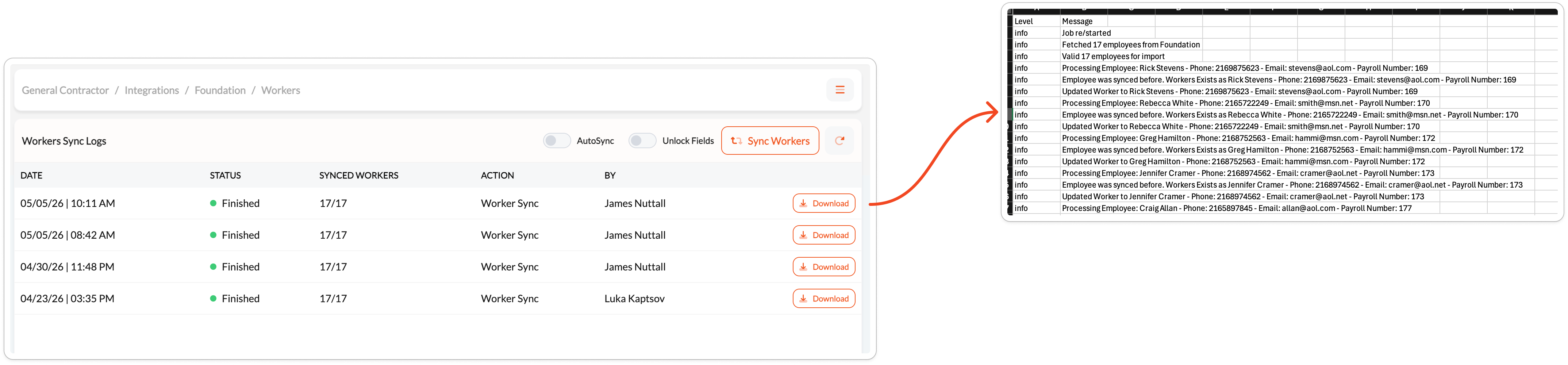
After each sync, a log entry appears in the Workers Sync Logs table showing the date, status, synced worker count, and who triggered it. Click Download to export the detailed CSV log. The log uses three levels:
| Level | Meaning |
|---|---|
| info | Worker was fetched, created, or updated successfully. |
| warning | Worker was skipped due to a data quality issue (e.g., missing or duplicate phone number). |
| error | Worker could not be synced due to a conflict or system error. |