![smartbarrel-logo-1.png]](https://ask.smartbarrel.io/hs-fs/hubfs/smartbarrel-logo-1.png?height=39&name=smartbarrel-logo-1.png)
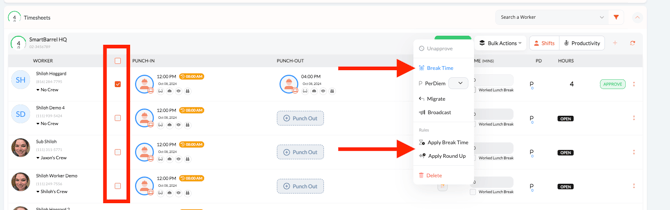
Step 1: Select the closed shift/ shifts for which you would like to apply the project break time rules or a custom break time.
Step 2: Select either "Break Time" or "Apply Break Time"
- Break Time: Allows you to input a custom time
- Apply Break Time: Automatically apply the break time rule from your project settings.
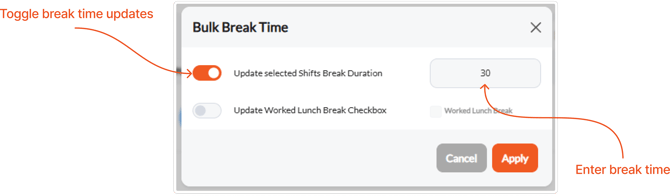
Step 3: Enable the "update selected shifts break duration" toggle. You will be prompted to input the time. Then click "Apply."
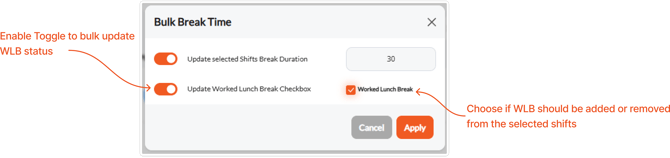
To update the worked lunch break status, enable the 2nd toggle the status to apply to the shifts.