![smartbarrel-logo-1.png]](https://ask.smartbarrel.io/hs-fs/hubfs/smartbarrel-logo-1.png?height=39&name=smartbarrel-logo-1.png)
Before You Start
- The default unit settings for the expense module are miles
- This setting applies company-wide to each project
- Users with admin permissions and access to the dashboard have access to update distance units
- Changes will be reflected in the expenses module
Where to Configure Distance Units
Step 1. Log in to the SmartBarrel Dashboard From the left menu, select "Company."
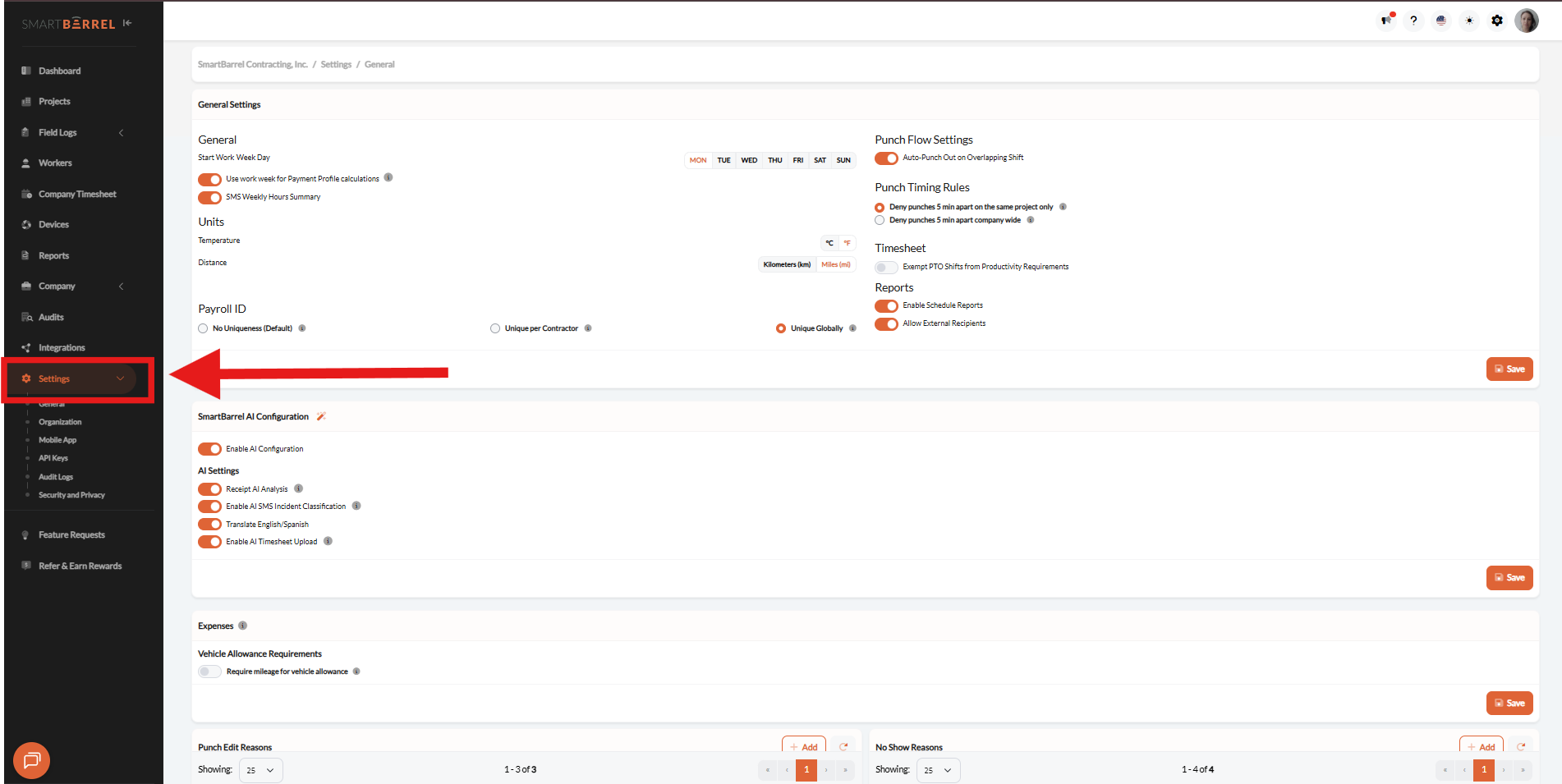
Step 2. Under the General section, locate the distance unit setting.
a) Select Kilometers (km) or Miles (mi) and save changes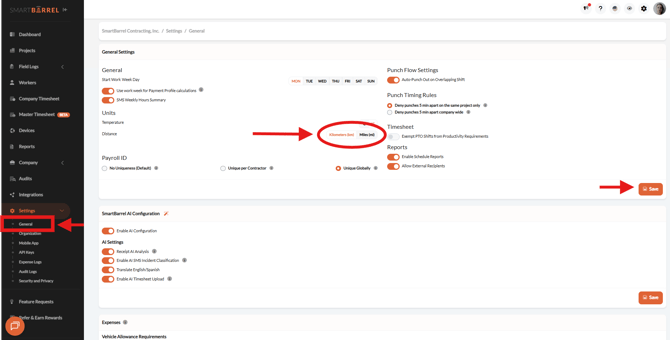
Video: