![smartbarrel-logo-1.png]](https://ask.smartbarrel.io/hs-fs/hubfs/smartbarrel-logo-1.png?height=39&name=smartbarrel-logo-1.png)
Things to Consider
-
A division can only be removed if it is not currently being utilized by any active projects or assigned users
- Create an unlimited number of divisions based on your organizational needs
Required Permissions
-
Your user account must have Admin privileges to modify or add new divisions. If you do not see the option in your account, contact your company’s SmartBarrel admin.
Steps to Create a New Division
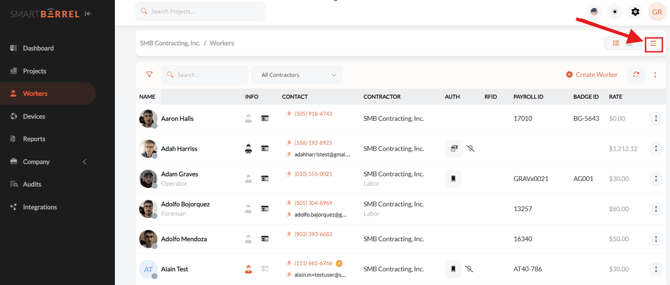
Step 1. Navigate to the “Workers” tab on the left-side menu.
Then, go to the menu on the top right corner
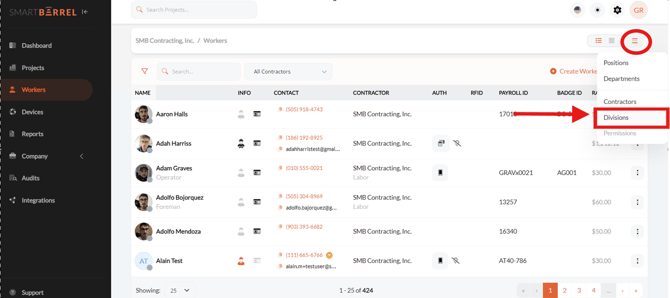
Step 2. Select “Divisions”
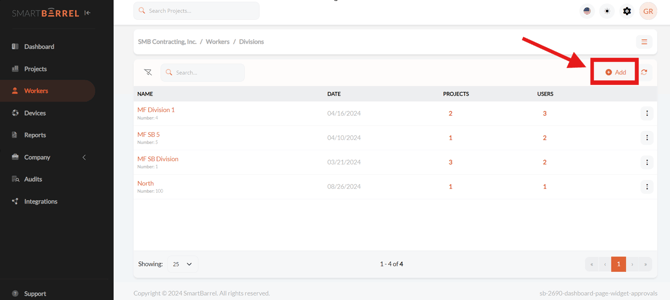
Step 3. Click "Add" to create a division
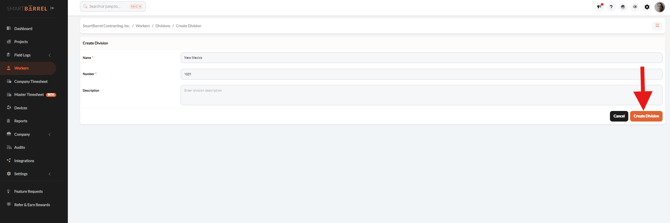
Step 4. Enter a name for the new division, review the information and click "Create"
VIDEO