![smartbarrel-logo-1.png]](https://ask.smartbarrel.io/hs-fs/hubfs/smartbarrel-logo-1.png?height=39&name=smartbarrel-logo-1.png)
Project Sync
The Foundation integration allows you to import your Foundation jobs into SmartBarrel as projects. Once imported, a project is linked to Foundation and ready for Sub-job Mapping, Cost Code Sync, and Timesheet Export.
Navigating to Projects
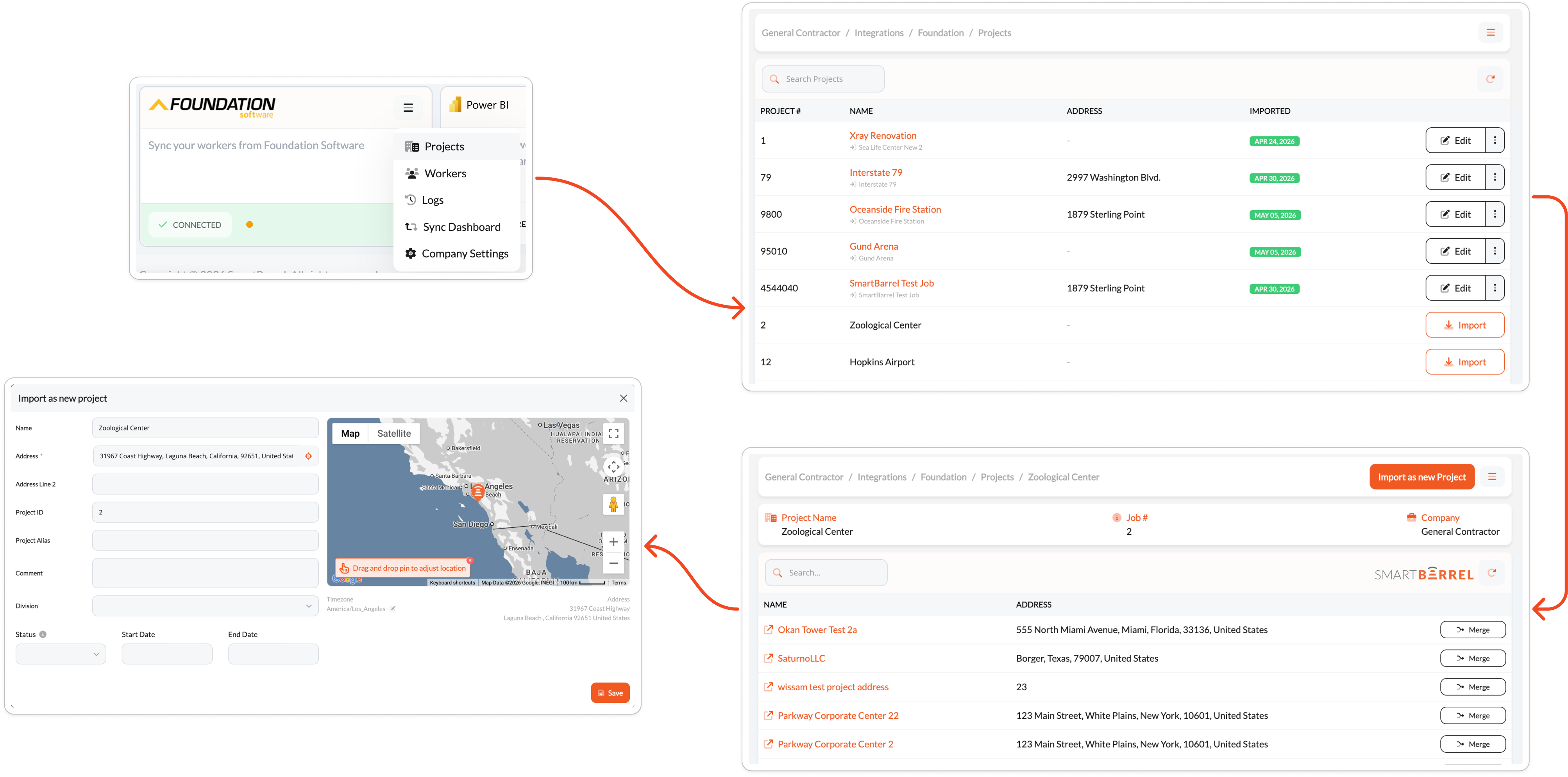
Navigate to Integrations > Foundation and click the menu icon (≡) in the upper right corner. Select Projects from the menu.
The Projects page displays all available Foundation jobs with their job number, name, address, and import status. Projects already imported into SmartBarrel display a green date badge in the Imported column. Use the Search Projects field to find a specific job, or click the refresh icon to pull the latest list from Foundation.
Importing a Project
Click Import next to the Foundation job you want to bring into SmartBarrel. You will then have two options:
- Import as new Project — Creates a new project in SmartBarrel using the Foundation job data.
- Merge — Links the Foundation job to an existing SmartBarrel project.
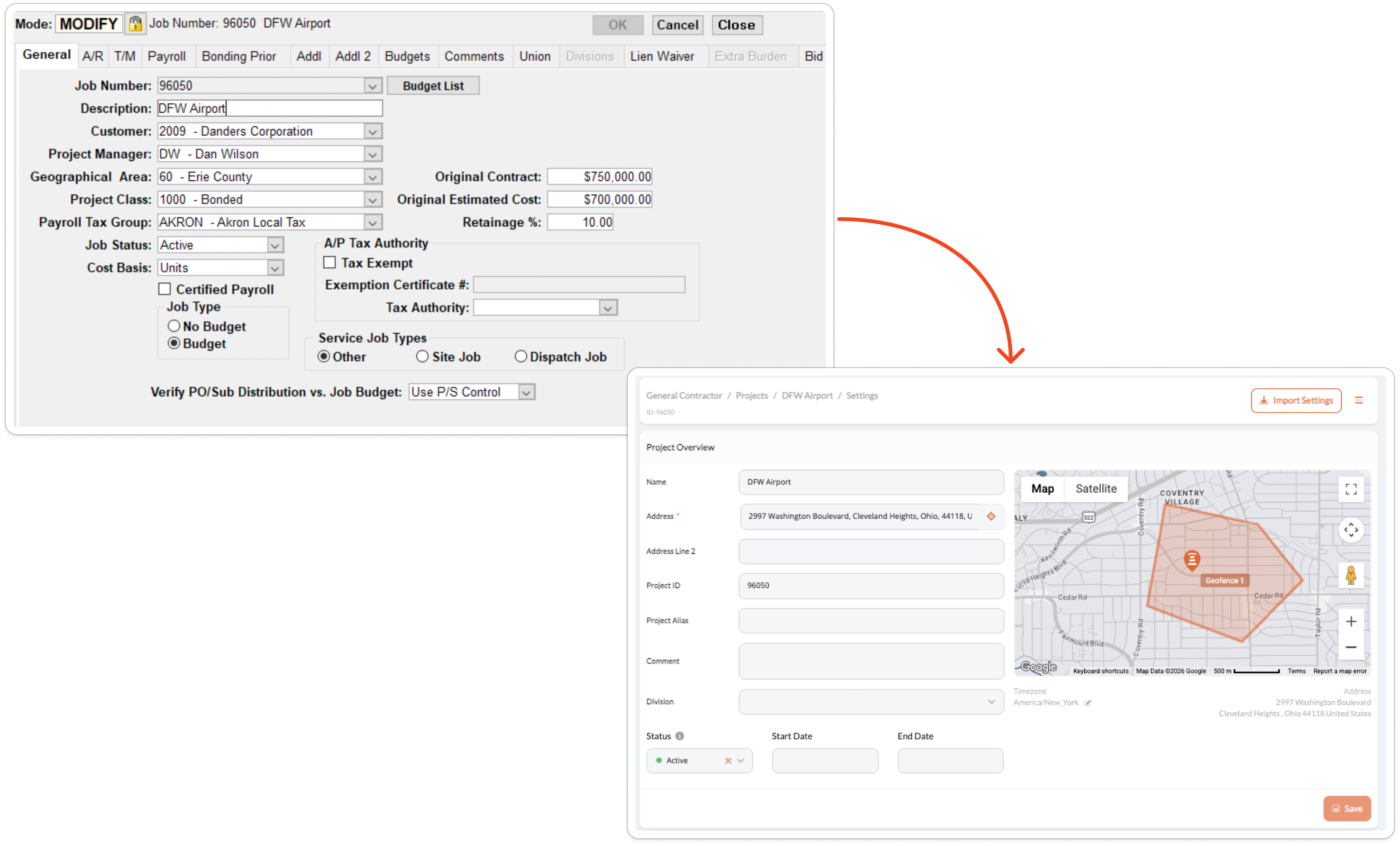
When syncing a project, SmartBarrel will pull the following fields from Foundation:
| Foundation Field | SmartBarrel Field | Required? |
|---|---|---|
| Job Number | Job Number | Yes |
| Description | Project Name | Yes |
| Short Description | Short Name | No |
| Address | Address | No |
| City | City | No |
| State | State | No |
| Zip Code | Zip Code | No |
Project Settings
After importing a project, navigate to the project within Integrations > Foundation > Projects to access Project Settings. The following options are available:
| Setting | Description |
|---|---|
| Sync Only Approved Shifts | When enabled, only shifts approved in SmartBarrel are included when exporting timecards to Foundation. Configured per project. |
| Auto Sync Cost Codes | When enabled, cost codes for the project sync from Foundation automatically on a schedule. |
| Cost Class Filter | Optionally restrict which cost codes are imported by specifying a Foundation cost class number. If not set, all cost codes for the job are imported. |