![smartbarrel-logo-1.png]](https://ask.smartbarrel.io/hs-fs/hubfs/smartbarrel-logo-1.png?height=39&name=smartbarrel-logo-1.png)
Setting Up the Connection
For each new Foundation Client
- You need to create a dedicated user in Foundation
- Recommended username: "SmartBarrel" (consistent across all clients)
- Choose a password
- Needed for the integration
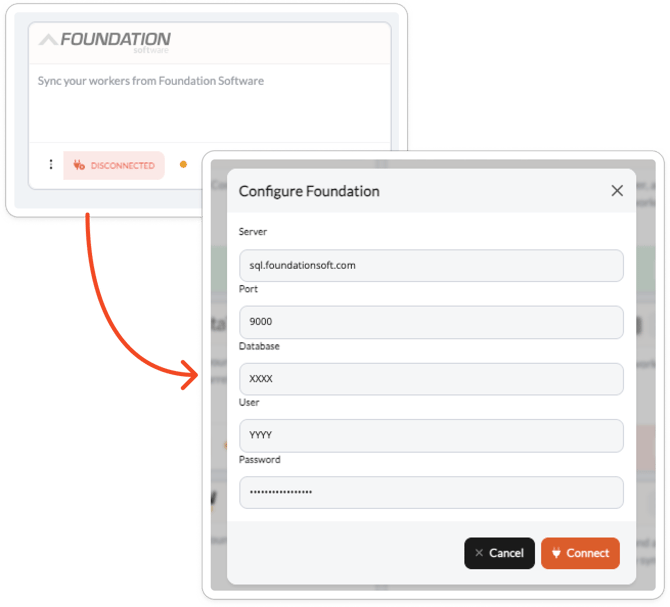
- Host — The hostname or IP address of the SQL Server running Foundation.
- Port — The SQL Server port.
- Database — The name of your Foundation database.
- Username — The SQL Server username used to access the Foundation database. (Created in step 1)
- Password — The password for the SQL Server user.
- Foundation Software configures:
- Write permissions to pending_time_cards table for SmartBarrel user
Your IT team or Foundation administrator can provide these details.
To connect the integration, follow these steps:
- Navigate to the SmartBarrel dashboard and click Integrations in the left-hand sidebar menu.
- Find the Foundation integration card and click Connect.
- In the connection dialog, enter your Host, Port, Database, Username, Password
- Click Connect. You will be taken to Company Settings where you can begin configuring the integration.