![smartbarrel-logo-1.png]](https://ask.smartbarrel.io/hs-fs/hubfs/smartbarrel-logo-1.png?height=39&name=smartbarrel-logo-1.png)
Overview
The Weather Widget shows real-time weather conditions directly on your project cards and project overview pages. It's designed to help foremen and managers quickly assess conditions at each job site — so they can take action before weather impacts the crew.
No setup is required. The widget is available to all users with access to the Projects page.
Things to Consider
- The widget appears on the Projects dashboard and each Project Overview page.
- No feature flag or admin setting is required — it's on for everyone.
- No permissions are needed beyond basic Projects access.
How It Works
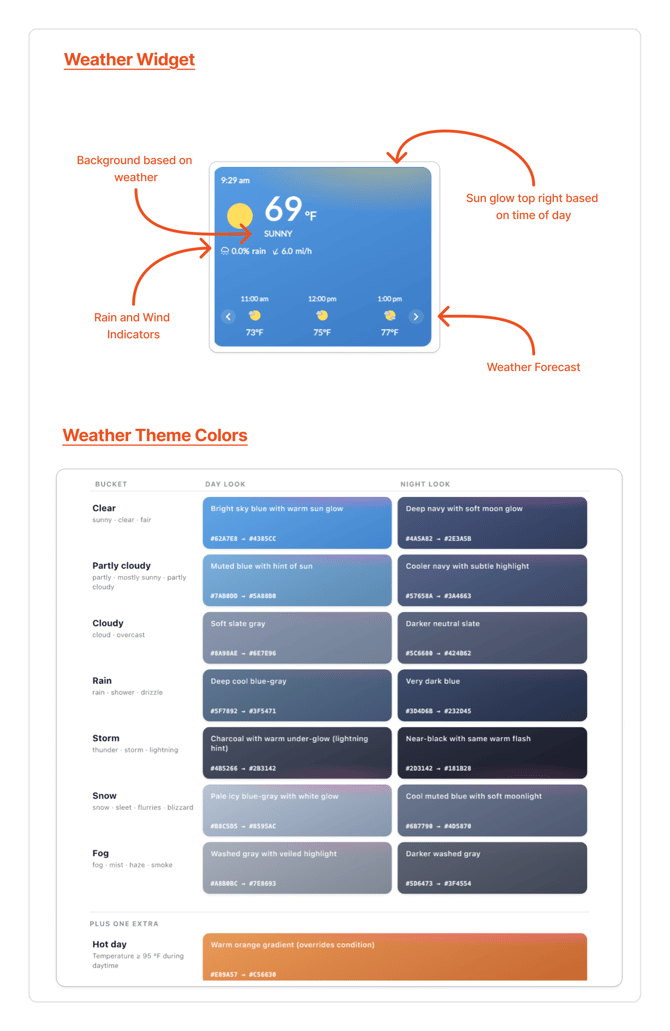
The widget automatically displays current conditions for each project's location. The card's appearance changes to match the weather — a stormy project looks stormy, a sunny project looks bright.
SmartBarrel uses 15 visual themes based on three factors:
- Weather condition — clear, cloudy, rain, storm, snow, fog, etc.
- Time of day — night themes apply before 6:00 AM or after 7:00 PM (local project time)
- Temperature — if it's 95°F or hotter during the day, the widget automatically switches to the Hot Day theme, regardless of the weather description
Each theme applies a background gradient and a subtle glow effect to give you an at-a-glance sense of conditions without needing to read any text.
What You'll See
On the Projects Dashboard
Each project card shows:
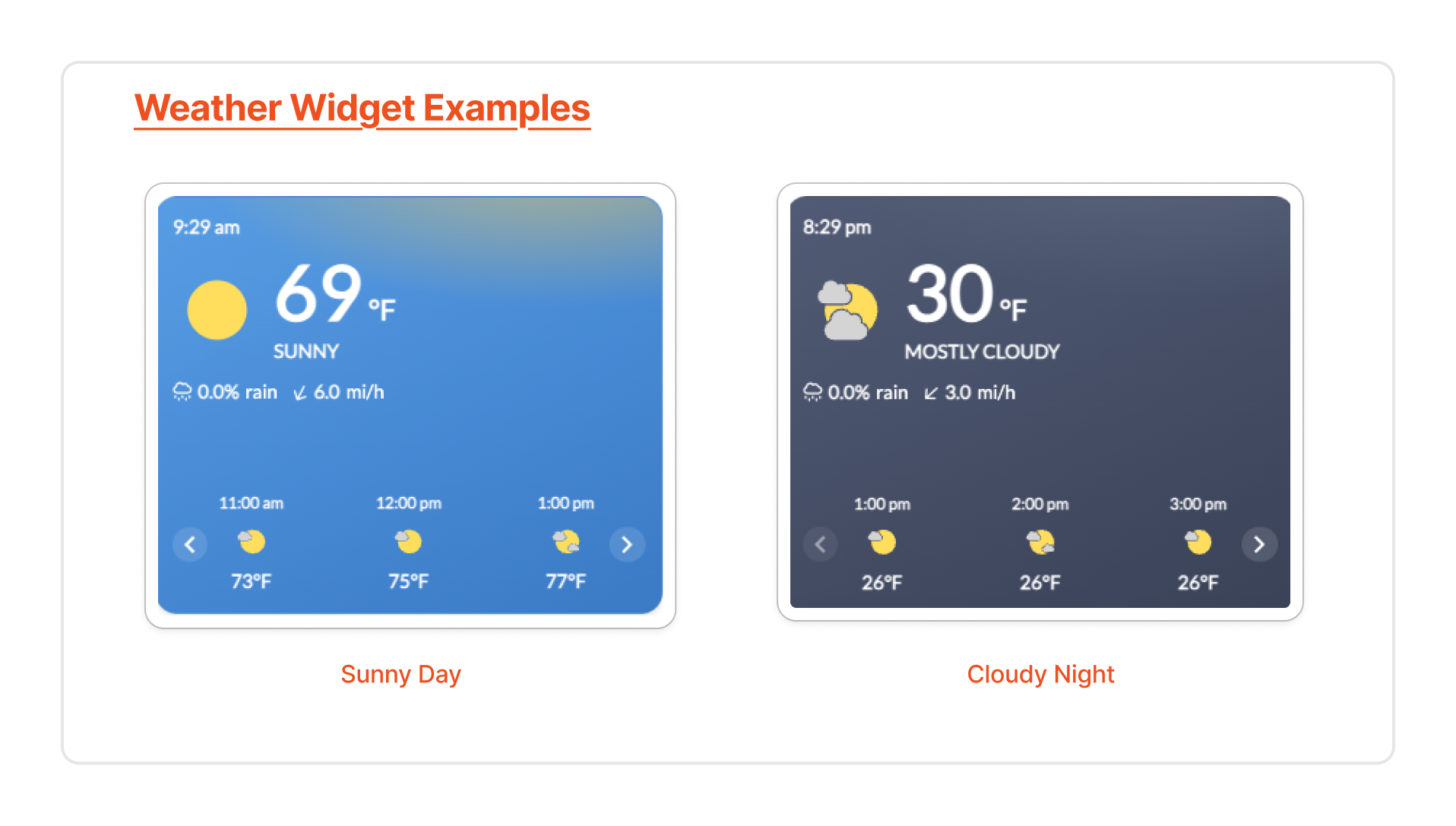
- Current temperature (large, prominent display)
- Weather condition (e.g., Partly Cloudy, Rain)
- Hourly forecast carousel — scroll through upcoming hours
Theme Examples
| Condition | Time | What It Looks Like |
|---|---|---|
| Clear | Day | Bright blue gradient with golden glow |
| Clear | Night | Deep navy with soft white glow |
| Storm | Day or Night | Dark charcoal with amber lightning glow |
| Snow | Day | Pale silver-blue with white glow |
| Hot (≥95°F) | Day | Warm orange gradient with golden glow |
Note: The widget scales automatically — temperatures with multiple digits (e.g., 100°F) won't overlap or clip, even on narrow grid layouts.
Why This Matters
- Faster decisions — Spot potential weather impacts across all your projects at a glance, without leaving the dashboard.
- Better planning — Foremen and managers can see conditions before the crew arrives and initiate follow-up steps (delays, rerouting, notifications) proactively.
- Consistent display — The widget works cleanly at all grid densities and loads with a matching placeholder — no more flash of the old light-blue background while data loads.