![smartbarrel-logo-1.png]](https://ask.smartbarrel.io/hs-fs/hubfs/smartbarrel-logo-1.png?height=39&name=smartbarrel-logo-1.png)
What is AI SMS Incident Classification?
AI SMS Incident Classification is a SmartBarrel feature that automatically reads and interprets a worker's post-punch-out SMS response to determine whether they are reporting a safety incident.
Instead of requiring workers to reply with a specific word like "Yes" or "No," the AI understands natural language — so replies like "All good today" or "I slipped and hurt my back" are both handled correctly.
How is this different from the existing SMS incident workflow?
The Submit Claim SMS service asks workers if they have an incident to report after punching out. Previously, a "Yes" response triggered the incident workflow. With AI Classification enabled, the system reads any free-text reply — in English or Spanish — and decides whether it indicates an incident or not, without requiring an exact keyword.
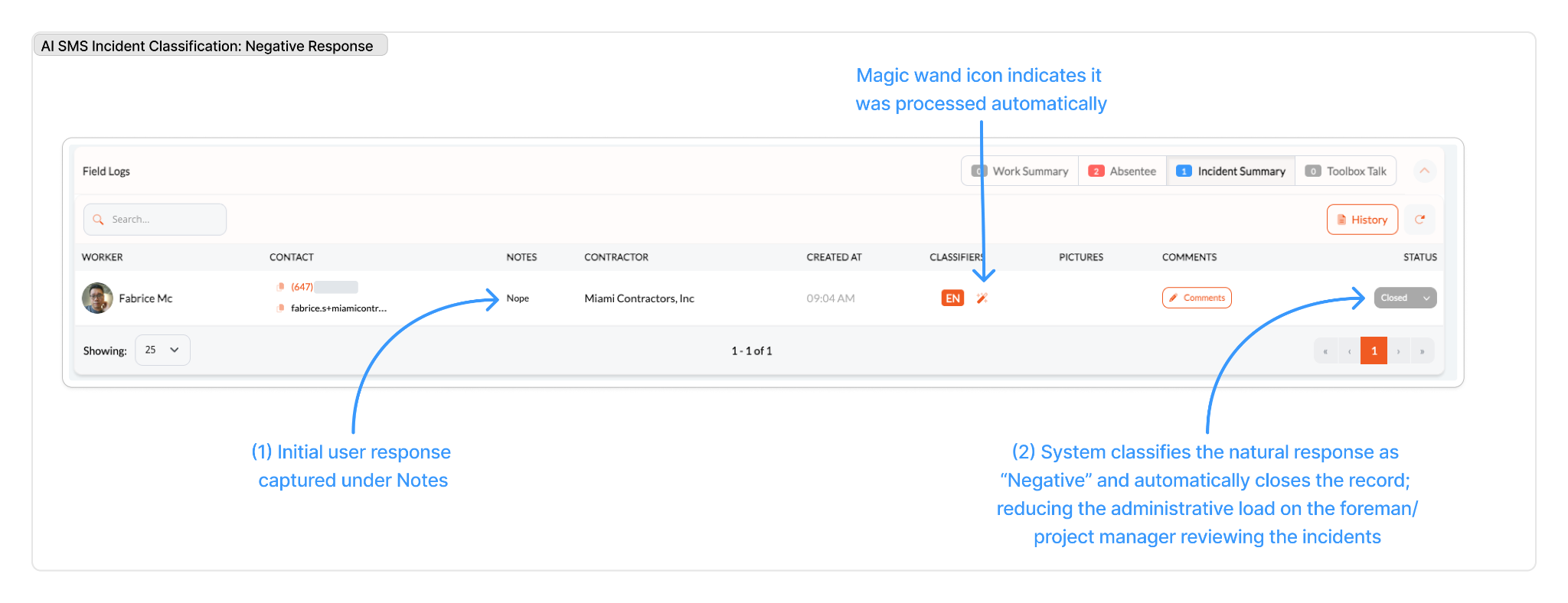
What happens when a worker says they have no incident?
If the AI classifies the response as negative (e.g., "No," "All clear," "Nope nothing today"), the system:
- Logs the SMS response in the Incident Log
- Creates an incident record with status Closed
- Does not notify managers
- Does not send the worker any follow-up
A closed record is kept for audit purposes, but no action is required from your team.
What happens when a worker reports an incident?
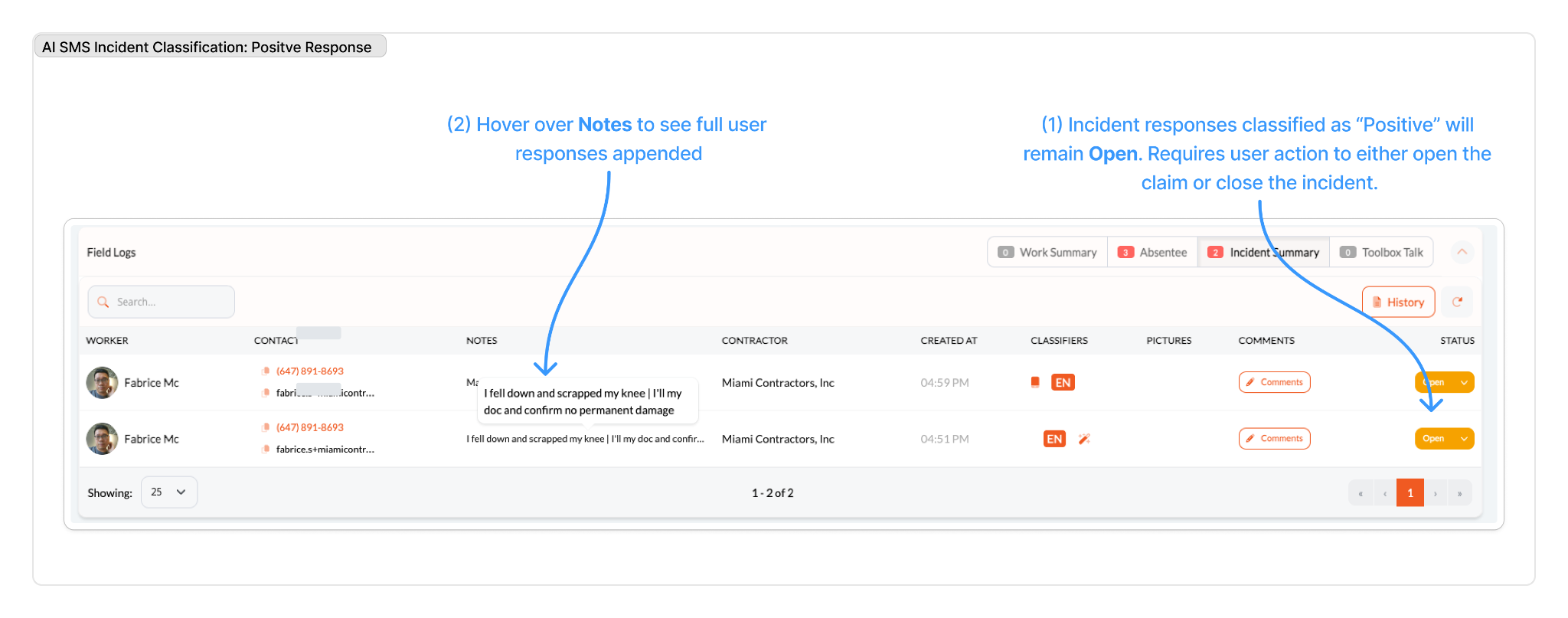
If the AI classifies the response as positive (e.g., "Yes, I got hurt," "I slipped near the entrance"), the system:
- Creates an incident record with status Open, labeled as sourced from SMS + AI
- Sends an SMS notification to managers (if Incident Submission Notification is enabled on the project)
- Automatically sends the worker a follow-up SMS asking for more details and appends the responses.
What does the follow-up SMS ask the worker?
The follow-up asks three questions:
- What happened?
- Is it urgent or does it require medical attention?
- Did you stop working?
The message is sent in the same language as the worker's original reply (English or Spanish).
What happens when the worker replies to the follow-up?
Their reply is automatically appended to the existing incident record, and managers receive an updated SMS notification with the additional details.
What languages are supported?
English and Spanish. Workers can reply in either language and the AI will correctly classify their response.
Where do I find these incident records?
Go to Field Logs → Incident Summary on the relevant project.
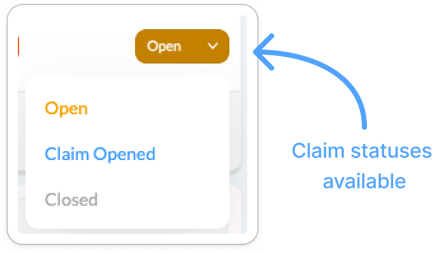
AI-created incidents are marked with a  magic wand icon. From there, you can add comments and update the status to Open, Claim Opened, or Closed as the situation is resolved.
Can I still manually manage an AI-created incident?
Yes. AI-created incident records work the same as any other incident in SmartBarrel. You can add comments, update the status, and review the full history at any time.
⚠️ If the project's Incident Submission Notification is not enabled, managers will not be alerted even when an incident is detected. Confirm this setting is active under Project Settings → Notifications if your team needs to be notified in real time.